How You Apply for the Disability Tax Credit Is Changing: July 14 and September 8, 2026
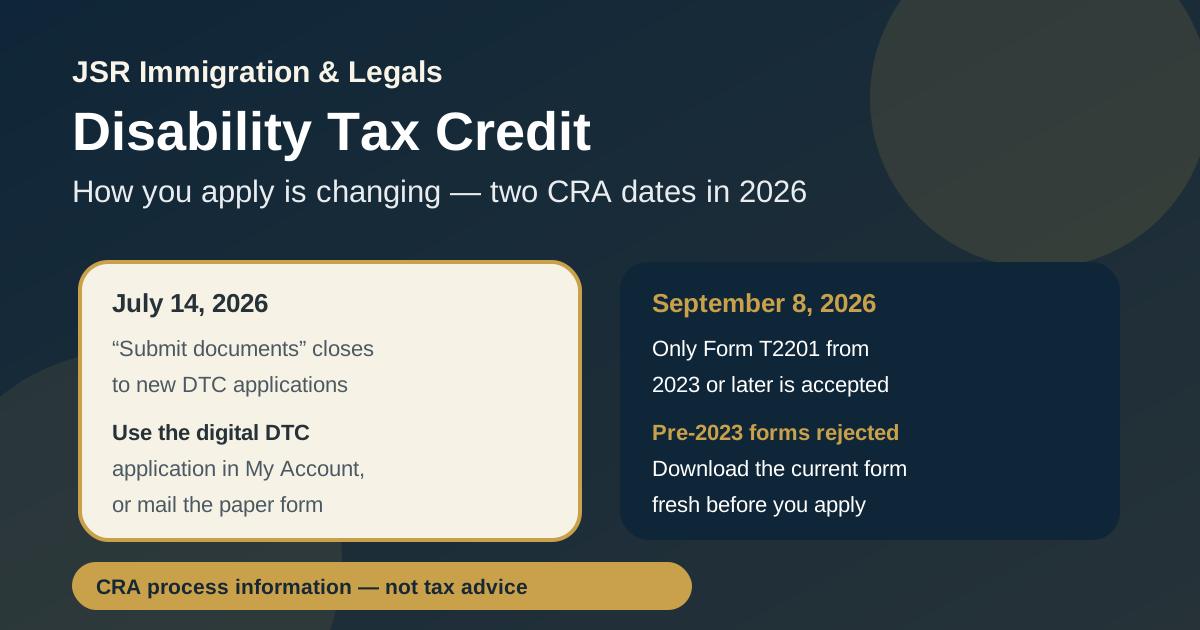
If you're applying for the Disability Tax Credit (DTC) — or helping a family member do it — the Canada Revenue Agency (CRA) is changing how applications are submitted, starting July 14, 2026. A second change follows on September 8, 2026. Neither affects who qualifies or how much the credit is worth. What changes is the paperwork path: send it the old way after these dates and your application can be delayed or rejected. Here's a plain-language rundown so your submission isn't the one that bounces.
This post is general information about a CRA process change. It is not tax or legal advice for your specific situation.
A quick refresher: what the DTC is
The Disability Tax Credit is a federal, non-refundable tax credit for people with a severe and prolonged impairment in physical or mental functions. Getting approved can reduce the income tax you (or a supporting family member) owe, can be claimed retroactively for past years, and acts as a gateway to other programs — including the Canada Disability Benefit and certain provincial supports. You apply using Form T2201, the Disability Tax Credit Certificate, which has a part you fill in and a part a medical practitioner completes.
Change #1 — July 14, 2026: stop using "Submit documents"
Many people who file online are used to uploading forms through the "Submit documents" section of their CRA account. As the CRA puts it: "Starting July 14, 2026, you will not be able to use the 'submit documents' section of your CRA account to send DTC applications or related documents unless the CRA specifically requests more information."
In plain terms, after July 14 the "Submit documents" tool is no longer a way to start a DTC application. It becomes reserved for one thing only: sending extra information when the CRA asks you for it on a file that already exists. If you drop a fresh T2201 there instead of using the proper channel, it may not be picked up as an application at all.
Instead, use one of these:
- The digital DTC application in your CRA My Account. The CRA recommends the
online route because it processes faster than paper, and it always points you to the current form.
- Paper: mail a completed, signed Form T2201 to your CRA tax centre.
Change #2 — September 8, 2026: old T2201 versions stop being accepted
The second change is about the form itself. As of September 8, 2026, the CRA will only accept Form T2201 from 2023 or later. Versions from before 2023 will no longer be valid. If you send an old copy — one saved on your computer, printed from an outdated link, or left over from a previous attempt — the CRA says you'll need to start over with a new application on the current form.
This one is easy to trip over, because a medical practitioner may have an old template on file, or you might reuse a PDF you downloaded years ago. Before anyone signs anything, confirm you're on the latest version straight from the CRA's official DTC page.
(required from Sept 8, 2026)" --> C[Complete your part +
medical practitioner's part] C --> D{How to submit?} D -- "Recommended" --> E[Digital DTC application
in CRA My Account] D -- "Paper" --> F[Mail signed T2201
to your CRA tax centre] D -- "Do NOT use" --> G[Submit documents section
closed to new DTC apps
from July 14, 2026] E --> H[CRA reviews; may request
more info on your file] F --> H
Why the CRA is doing this
The stated goal is faster, cleaner processing. Routing new applications through the dedicated digital channel — instead of a general document-upload box — lets the CRA sort and assess them more efficiently, and standardising on the post-2023 form removes the confusion of multiple form versions in circulation. For applicants, the practical payoff is fewer bounced submissions and, ideally, quicker decisions.
What to do before you apply
- Download the form fresh. Don't reuse an old T2201. Get the current version
from the CRA's official Disability Tax Credit page (canada.ca).
- Tell your medical practitioner they must use the 2023-or-later form too — their
section is on the same document.
- Apply through the right channel. Use the digital DTC application in
My Account, or mail the paper form. After July 14, don't rely on "Submit documents" to start.
- Keep "Submit documents" for follow-ups only. If the CRA writes back asking for
more detail on an existing case, that's when the upload tool is the right place.
- Watch the dates. The submission-channel change is effective July 14, 2026;
the old-form cut-off is September 8, 2026.
Where to confirm the current rules
- CRA — "Help speed up your disability tax credit application" (the official
notice of these changes): canada.ca tax tip.
- CRA — Disability Tax Credit (eligibility, current Form T2201, how to apply):
canada.ca — Disability Tax Credit.
Get in touch
A credit worth years of refunds shouldn't be lost to a paperwork technicality. If you're navigating a DTC application, an affidavit, or another everyday legal or document matter in Ontario, JSR Legals is glad to point you in the right direction. Reach us at info@jsrlegals.ca.
This article is general information about a CRA process change, current as of July 2026, and is not tax or legal advice for any specific situation. Dates, forms and rules can change — confirm the current requirements with the CRA before you apply.

Immigration & paralegal practitioner at JSR Immigration & Legals, helping newcomers and Ontario residents with their cases.
This post is general information about Canadian immigration and Ontario paralegal matters and is not legal advice. Rules change and every case is different — confirm current requirements for your own situation.