LTB Email Notifications Change July 24: What Parties Should Check
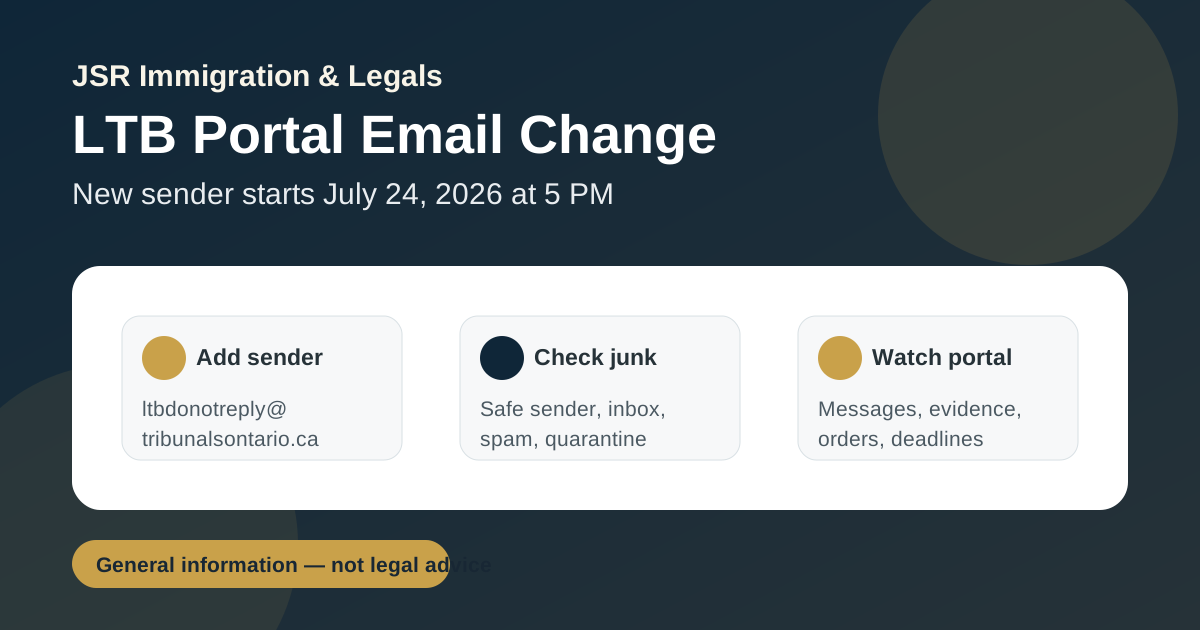
What changed
Tribunals Ontario posted an operational update on July 22, 2026 confirming that, effective July 24, 2026 at 5:00 p.m., email notifications from the Tribunals Ontario Portal for Landlord and Tenant Board matters will come only from a new sender: ltbdonotreply@tribunalsontario.ca. The new address replaces ltbdonotreply@ontario.ca. The official update is here: LTB Operational Update: Tribunals Ontario Portal Email ID Change.
This looks like a small administrative change, but it is a practical deadline issue. Portal emails may relate to filed applications, hearing notices, document exchanges, uploaded evidence, orders, requests, and other procedural steps. If those messages land in junk mail, a party may miss something that affects preparation or attendance.
Why it matters in an LTB file
The Tribunals Ontario Portal is not just a payment page. The LTB says portal users can submit applications, pay fees, check file status, upload evidence, view and exchange messages or documents, self-schedule preferred hearing dates in some circumstances, and use the dispute resolution tool. That means email notifications are part of the file-management system. The official portal page is here: Tribunals Ontario Portal.
For landlords, a missed portal email can affect whether supporting documents, payment receipts, affidavits, certificates of service, or hearing materials are handled on time. For tenants, it can affect awareness of hearing dates, messages from the Board, evidence uploads, requests to review or amend an order, or other procedural developments. For representatives, it creates a simple but important client-service risk: the file may move even if the email never reached the inbox.
This change also comes shortly after the LTB's July 1, 2026 process and form updates connected to amendments under Bill 60 and Bill 97. The LTB's forms, filing, and fees page now carries both notices: the July 22 email sender update and the June 30 legislative-changes notice. See LTB forms, filing and fees.
What to do before July 24 at 5:00 p.m.
The operational update tells portal users to add the new sender address to their email contacts. In practical terms, anyone with an active LTB portal file should:
- add
ltbdonotreply@tribunalsontario.caas a contact or safe sender; - remove or stop relying on the old
ltbdonotreply@ontario.cacontact; - check junk, spam, quarantine, and focused inbox folders regularly;
- mark any new LTB portal emails as not junk or safe;
- continue checking the Tribunals Ontario Portal directly, not only email;
- calendar hearing dates, service deadlines, upload deadlines, and order-review dates separately.
Representatives should treat this as file control
The LTB Rules of Procedure were updated July 1, 2026. Rule A9.2 states that representatives have duties to both the LTB and the party, and must provide contact information, be available to be contacted promptly, convey LTB communications and directions to the client, and provide timely responses. The rules are here: LTB Rules of Procedure.
For a legal practice, this means the sender-address change should not be left to memory. It should be added to the firm's safe-sender controls, intake checklist, active LTB file checklist, and hearing-preparation checklist. Staff should know which address is now authoritative and should not assume an LTB file is quiet merely because no email appeared in the main inbox.
Do not rely only on email
Email delivery is a notification tool, not a substitute for monitoring the file. Spam filters, forwarding rules, full mailboxes, changed email addresses, and outdated contacts can all create gaps. Parties should continue signing into the portal and checking the case record directly, especially close to hearing dates or after filing evidence, applications, requests, or payment receipts.
If you have an LTB matter and are unsure whether a hearing notice, order, evidence upload, or review deadline has been missed, JSR Immigration & Legals can review the procedural record and help identify the next step. This post is general legal information only, not legal advice for a specific matter.

Immigration & paralegal practitioner at JSR Immigration & Legals, helping newcomers and Ontario residents with their cases.
This post is general information about Canadian immigration and Ontario paralegal matters and is not legal advice. Rules change and every case is different — confirm current requirements for your own situation.